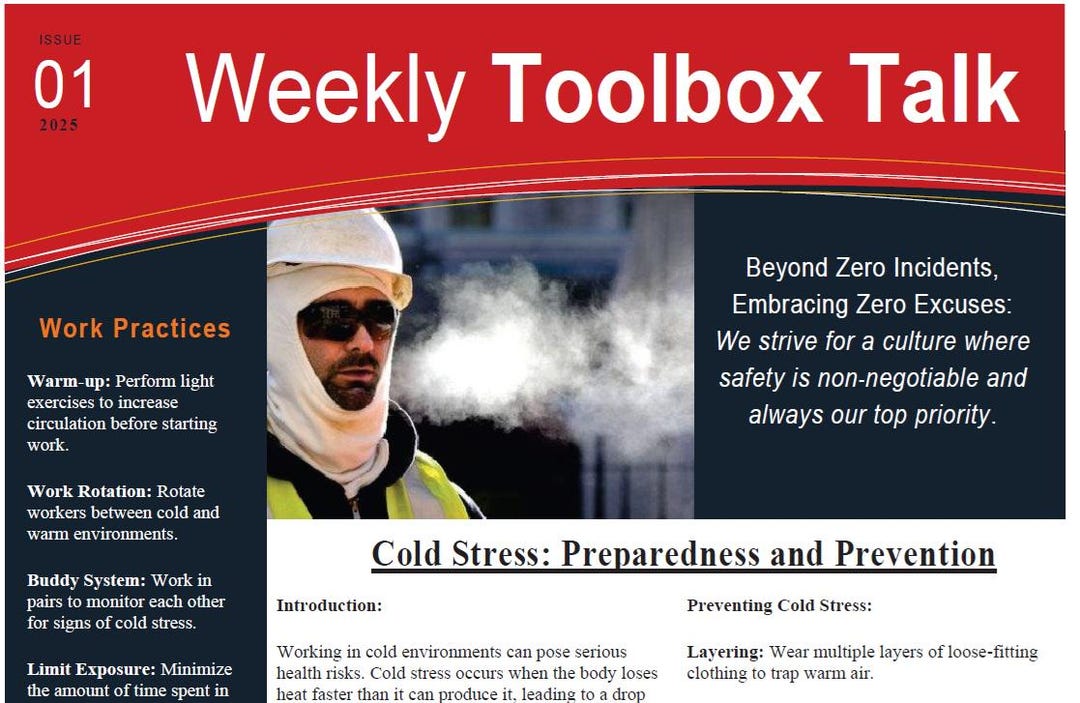
Safety conversations on job sites often start with a quick huddle—but without structure, they lose impact. A well-designed toolbox talk form template turns informal chats into documented, actionable safety interventions. These forms aren’t just paperwork; they’re accountability tools that reduce incidents, align teams, and meet regulatory expectations.
Yet many organizations still rely on inconsistent notes, verbal-only briefings, or outdated paper forms that get lost. The gap isn’t willingness—it’s having a practical, reusable structure that fits real workflows.
This guide delivers a functional toolbox talk form template framework, explains critical components, and provides real-use adaptations across industries.
Why a Standardized Toolbox Talk Form Matters
Toolbox talks—also known as tailgate meetings or safety moments—are short, focused discussions about specific hazards, procedures, or safety updates. They typically last 10 to 15 minutes and occur at the start of a shift or before high-risk tasks.
Without a standardized form, these talks become inconsistent. Workers may miss key points. Supervisors forget to document attendance. Follow-ups get delayed. And when an incident occurs, the absence of records becomes a liability.
A good form template enforces structure. It ensures:
- Consistent delivery of safety messages
- Legal compliance with OSHA, WorkSafeBC, HSE, or other regulatory bodies
- Proof of training and communication
- Accountability through sign-offs and timestamps
- Trends identification via collected data
For example, a roofing crew using a repeatable form noticed recurring slips on wet surfaces. Over three weeks, their documented talks led to better footwear policies—and a 40% drop in near-misses.
Essential Elements of an Effective Toolbox Talk Form
A strong template isn’t bloated. It balances completeness with usability. Include these core sections:
#### 1. Meeting Header Capture the basics: - Date and time - Location or work zone - Supervisor/conductor name - Weather conditions (if relevant)
Tip: Pre-fill recurring fields using digital tools to save time.
#### 2. Topic & Objective State the focus clearly—e.g., “Safe Ladder Use” or “Confined Space Entry Protocol.” Include a one-sentence objective: “Ensure all team members inspect ladders before use and maintain three-point contact.”
#### 3. Hazard Identification List specific risks tied to the topic. Use plain language: - Fall from height - Damaged rungs or rails - Unstable footing
Avoid vague terms like “unsafe conditions.” Be precise.
#### 4. Control Measures Outline actions to mitigate risks: - Inspect ladder for damage - Secure base on level ground - Use fall protection if over 6 feet
Link controls directly to hazards.
#### 5. Discussion Points Include 2–4 discussion prompts to engage workers: - “What’s one time you saw a ladder used unsafely?” - “How would you report a defective ladder?”
Interactive input increases retention.
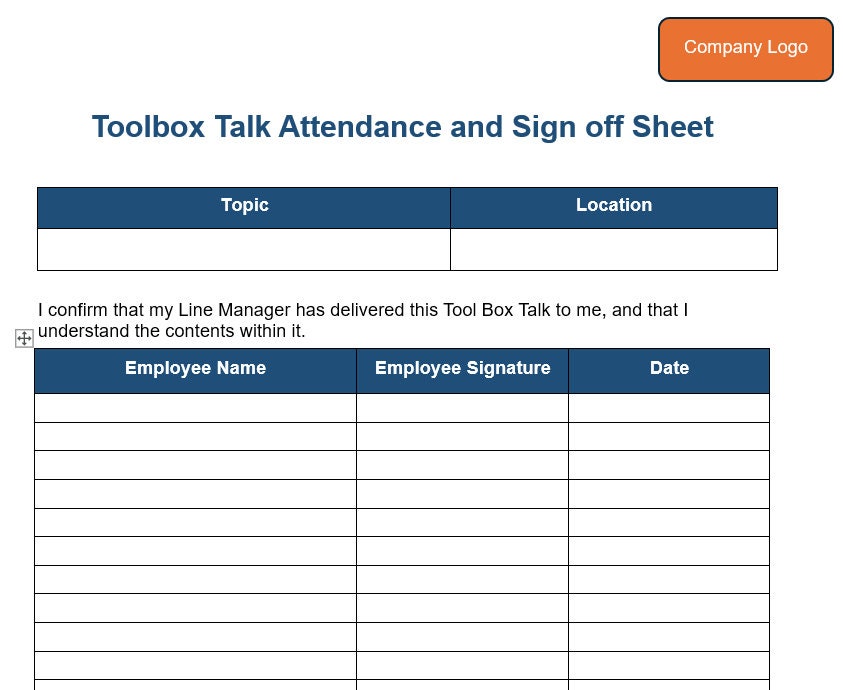
#### 6. Attendance & Sign-Off List participants with space for signatures or initials. Digital forms can use tap-to-sign. Include a supervisor sign-off to confirm completion.

#### 7. Follow-Up Actions Assign responsibilities: - “John to inspect all extension ladders by Friday.” - “Post ladder safety poster in break room.”
This closes the loop.
Common Mistakes That Undermine Effectiveness
Even with a template, poor execution reduces value. Watch for these pitfalls:
- Using generic topics monthly – Talking about “general safety” every week loses relevance. Focus on current tasks or seasonal hazards (e.g., heat stress in summer).
- Filling out forms after the fact – Backdating undermines credibility. Conduct the talk first, document immediately.
- One person doing all the talking – If the supervisor lectures while others scroll phones, engagement fails. Build in discussion.
- Poor storage or access – Paper forms stuffed in a binder are useless during audits. Store digitally with searchable tags.
- Ignoring non-English speakers – Provide translated versions or use visual aids. Safety isn’t optional for language barriers.
A Midwest construction firm reduced recordable incidents by 60% in one year simply by switching from verbal-only talks to documented, interactive sessions using a standardized form.
Adapting the Template for Different Industries
A one-size-fits-all form rarely works. Customize based on context.
#### Construction Focus on PPE, fall protection, equipment operation, and site-specific risks. Example: Before starting excavation, the talk covers underground utility maps, trench shoring, and emergency exits.
#### Manufacturing Emphasize machine guarding, lockout/tagout, and repetitive motion hazards. Example: A form for press operation includes verification of LOTO procedures and emergency stop checks.
#### Utilities & Field Services Include environmental risks: overhead lines, confined spaces, traffic zones. Example: Crews working near power lines review minimum approach distances and grounding procedures.
#### Healthcare (Facilities & Maintenance) Address slip hazards, chemical exposure, and service interruptions. Example: HVAC technicians discuss refrigerant handling and confined space entry in mechanical rooms.
Use dropdowns or checkboxes in digital templates to auto-populate relevant sections based on selected industry or task type.
Top 5 Toolbox Talk Form Solutions & Tools
While you can build a template in Word or PDF, digital platforms increase compliance and ease of use. Here are five practical options:
| Tool | Key Features | Best For |
|---|---|---|
| SafetyCulture (iAuditor) | Customizable templates, real-time reporting, photo evidence, offline access | Teams needing mobile inspections and analytics |
| Procore | Integrated with construction project management, document tracking, automated reminders | Larger construction firms using Procore for operations |
| SiteDocs | Pre-built safety libraries, automatic form routing, regulatory updates | Industrial sites with complex compliance needs |
| Formstack AppSheet | No-code form builder, integrates with Google Workspace, signature capture | Organizations wanting custom apps without coding |
| GoFormz | PDF digitization, workflow automation, analytics dashboard | Transitioning from paper to digital with minimal disruption |
Each allows you to upload or design a toolbox talk form template, assign it to supervisors, track completion, and generate reports.
Workflow Tip: Pair digital forms with a weekly review meeting. Scan the past seven talks for recurring issues—like repeated PPE reminders—and escalate training if needed.
How to Implement a Template Successfully
Adoption is the real challenge. Follow this rollout plan:
- Pilot with a willing crew – Test the form with a safety-conscious team. Gather feedback on length and clarity.
- Train supervisors on facilitation, not just form-filling – Emphasize discussion quality over box-checking.
- Integrate into daily routines – Schedule talks at the same time and place each day.
- Audit consistency monthly – Review archived forms for completeness and relevance.
- Rotate topics based on work plans – Align talks with upcoming high-risk activities.
One oil and gas contractor tied toolbox talk completion to supervisor KPIs. Within six months, participation rose from 58% to 94%, and safety audit scores improved by 35%.
Free Printable Toolbox Talk Form Template (Basic Version)
Below is a simplified, ready-to-use structure. Copy into Word, Google Docs, or convert to PDF.
Toolbox Talk Form
Date: ___________ Time: ___________ Location: ___________ Conducted by: ___________
Topic: _________________________ Objective: _________________________
Hazard(s) Identified: ☐ Fall from height ☐ Equipment malfunction ☐ Poor visibility ☐ Other: ___________
Control Measures: ☐ Use harness ☐ Inspect tools ☐ Set up lighting ☐ Other: ___________
- Discussion Questions:
- _______________________________________
- _______________________________________
- Attendees:
- _______________ Signature: _________
- _______________ Signature: _________
- _______________ Signature: _________
Follow-Up Actions: - [ ] ________________________ By: ______ - [ ] ________________________ By: ______
Supervisor Signature: __________ Date: ______
For a customizable editable version, many safety portals offer free downloads—just ensure they align with local regulations.
Closing: Make Safety Documented, Not Decorative
A toolbox talk form template is only as good as its execution. The goal isn’t to generate paperwork—it’s to start conversations that prevent harm.
Choose or design a form that fits your team’s rhythm. Test it. Refine it. Keep it visible, relevant, and participatory.
When done right, these brief meetings become the backbone of a proactive safety culture—where every worker feels empowered to speak up, and every talk leaves a traceable impact.
Start with a solid template. Then focus on consistency, engagement, and follow-through. That’s how safety shifts from policy to practice.
Frequently Asked Questions
What should be included in a toolbox talk form? A complete form includes date, location, topic, hazards, controls, discussion points, attendee list with signatures, and follow-up actions.
How often should toolbox talks be conducted? Ideally daily or before high-risk tasks. Weekly at minimum, depending on job complexity and risk level.
Are toolbox talk forms legally required? They may not be mandated everywhere, but they serve as critical evidence of safety communication during audits or investigations.
Can I use a digital toolbox talk form? Yes—digital forms improve accessibility, reduce errors, and streamline reporting. Many apps support offline use and e-signatures.
Who should lead a toolbox talk? Supervisors, foremen, or safety officers typically lead, but experienced crew members can facilitate with proper training.
Should toolbox talk topics repeat? Yes—reinforcement is valuable. But vary depth and examples to maintain engagement and address new risks.
Can employees refuse to sign a toolbox talk form? Signing confirms attendance, not agreement. If concerns exist, document them separately and address immediately.
FAQ
What should you look for in Toolbox Talk Form Template: Practical Guide and Free Resources? Focus on relevance, practical value, and how well the solution matches real user intent.
Is Toolbox Talk Form Template: Practical Guide and Free Resources suitable for beginners? That depends on the workflow, but a clear step-by-step approach usually makes it easier to start.
How do you compare options around Toolbox Talk Form Template: Practical Guide and Free Resources? Compare features, trust signals, limitations, pricing, and ease of implementation.
What mistakes should you avoid? Avoid generic choices, weak validation, and decisions based only on marketing claims.
What is the next best step? Shortlist the most relevant options, validate them quickly, and refine from real-world results.